
Download Rocket.Chat – messaging app, team chat, secure messaging, open source, chat platform, group chat, team collaboration, private messaging, real-time chat, messaging tool
Overview
Rocket.Chat serves as the official mobile client for a comprehensive messaging platform designed to enhance workgroup communication beyond basic instant messaging. Built for teams across industries, it enables structured, secure, and real-time collaboration through organized channels and threaded conversations. The app addresses common challenges in team communication, such as message clutter, fragmented workflows, and lack of integration with essential tools. By centralizing team interactions within a secure, private environment, Rocket.Chat helps reduce reliance on scattered email threads and disjointed communication tools.
Its target users include remote teams, distributed workforces, IT departments, customer support groups, and organizations prioritizing data privacy. The app supports cross-platform access, allowing team members to stay connected regardless of their device, whether using Android, iOS, macOS, or Linux. This flexibility makes it suitable for both small businesses and large enterprises seeking scalable communication solutions.
As a free and open-source platform, Rocket.Chat emphasizes transparency and user control over data. The developer, Rocket.Chat, has positioned the app as a privacy-first alternative to proprietary messaging tools. It is particularly relevant in today’s digital landscape, where secure, reliable, and customizable communication platforms are essential for maintaining productivity and trust within teams.
Key Features & Functionality
- Easy Setup: Users can quickly connect to their Rocket.Chat server by entering the server URL and login credentials. This streamlined onboarding process allows teams to begin collaborating without technical delays.
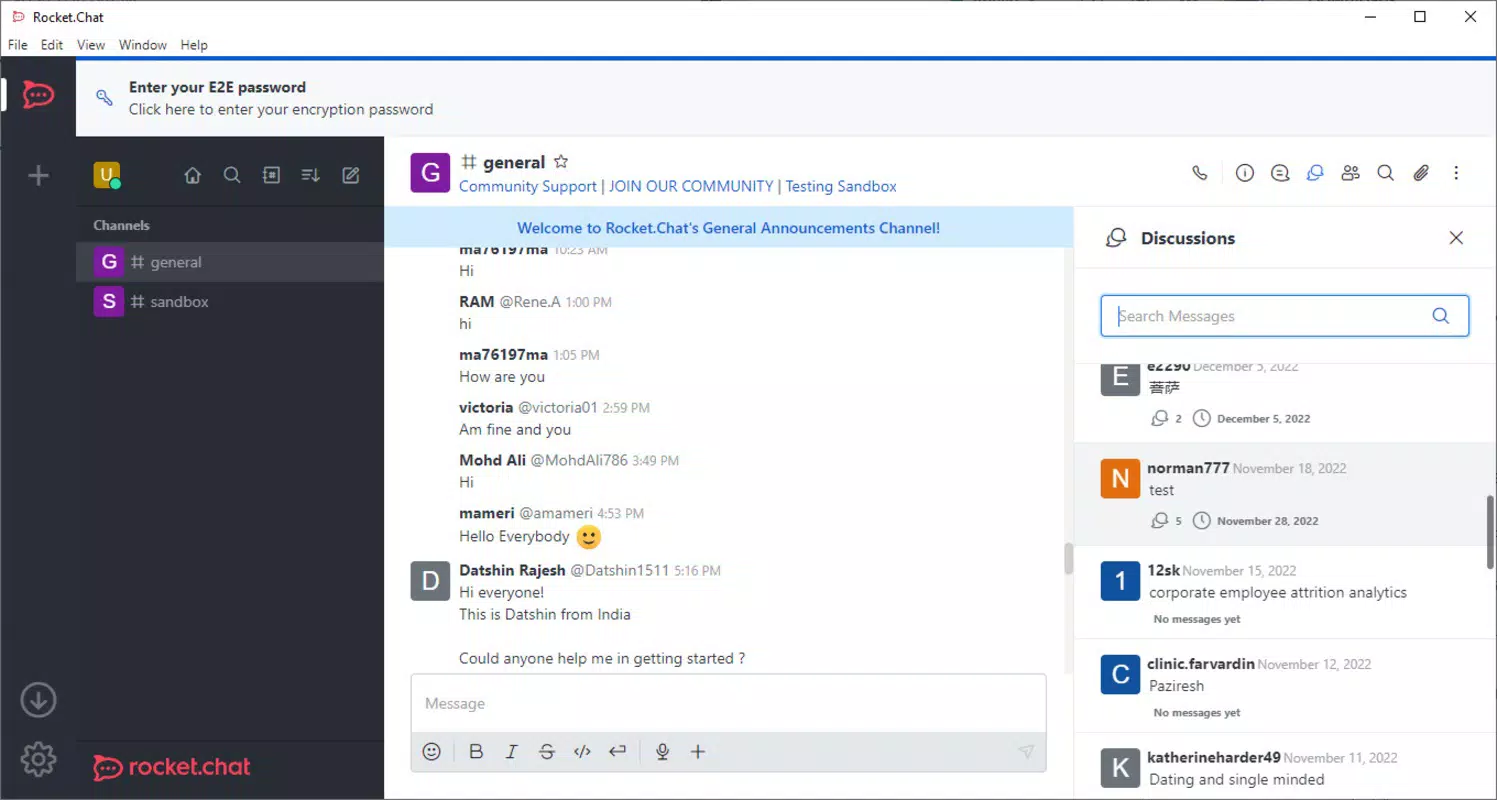
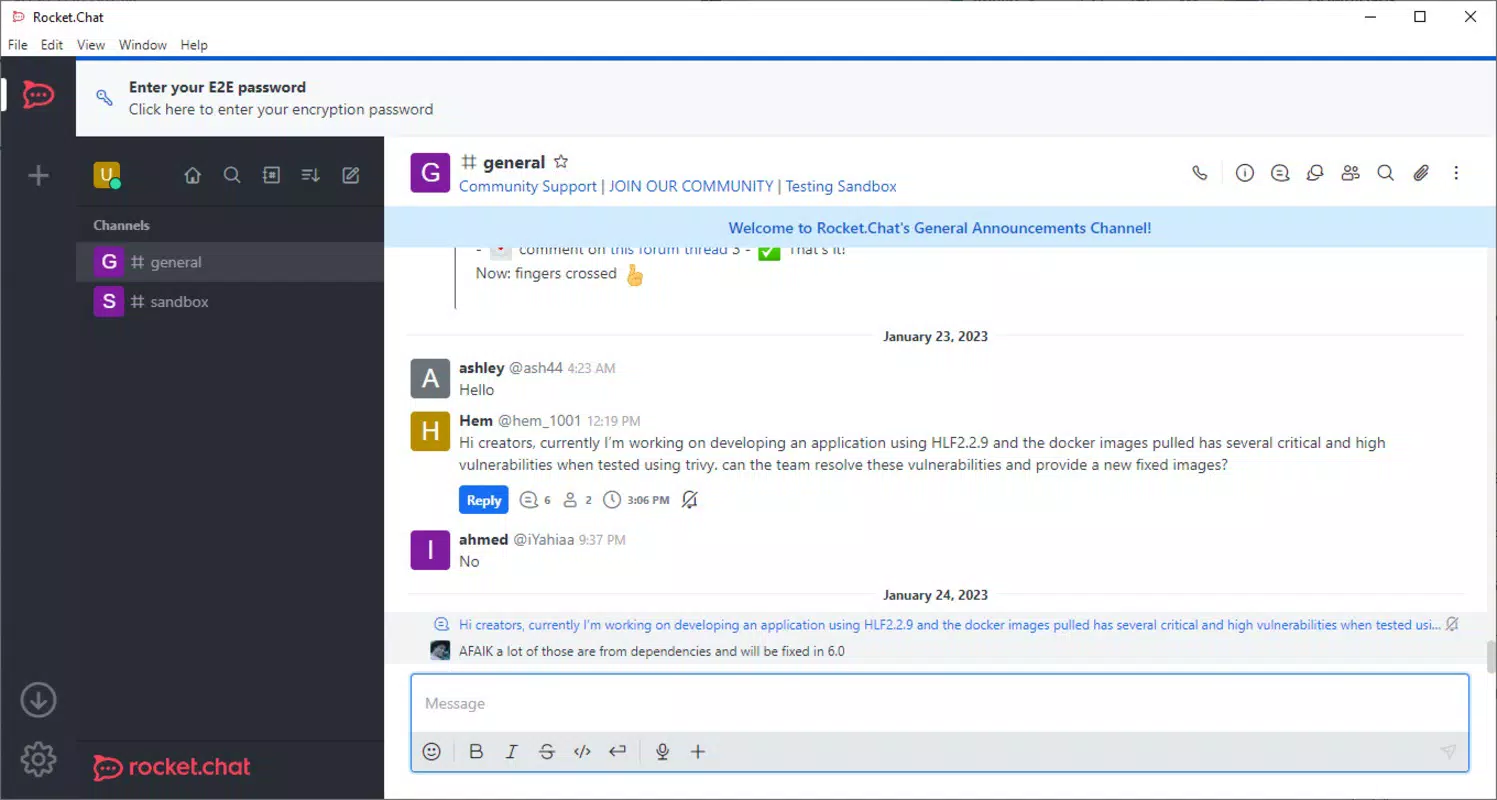
- Threaded Conversations: The app supports replies within dedicated threads, keeping discussions focused and preventing channel clutter. This feature is ideal for complex project discussions where multiple topics are addressed simultaneously.
- Application Integrations: Rocket.Chat integrates with tools such as Dropbox, Gmail, and Zoom, enabling users to manage files, emails, and video meetings directly within the chat interface. This reduces context switching and improves workflow efficiency.
- Open Source & Secure: Being open source allows for community-driven development and independent security audits. The platform adheres to strong privacy standards, making it suitable for regulated industries requiring secure communication.
- Cross-Platform Availability: The mobile client is available on Android, iOS, macOS, and Linux, ensuring consistent access across devices. This supports hybrid and remote work models by enabling seamless transitions between desktop and mobile environments.
For example, a support team can use threads to resolve individual customer issues without disrupting ongoing group discussions. Meanwhile, a marketing team can integrate their calendar and file-sharing tools to coordinate campaign launches in real time. These use cases demonstrate how Rocket.Chat enhances collaboration through both functionality and integration.
Interface, UX & Performance
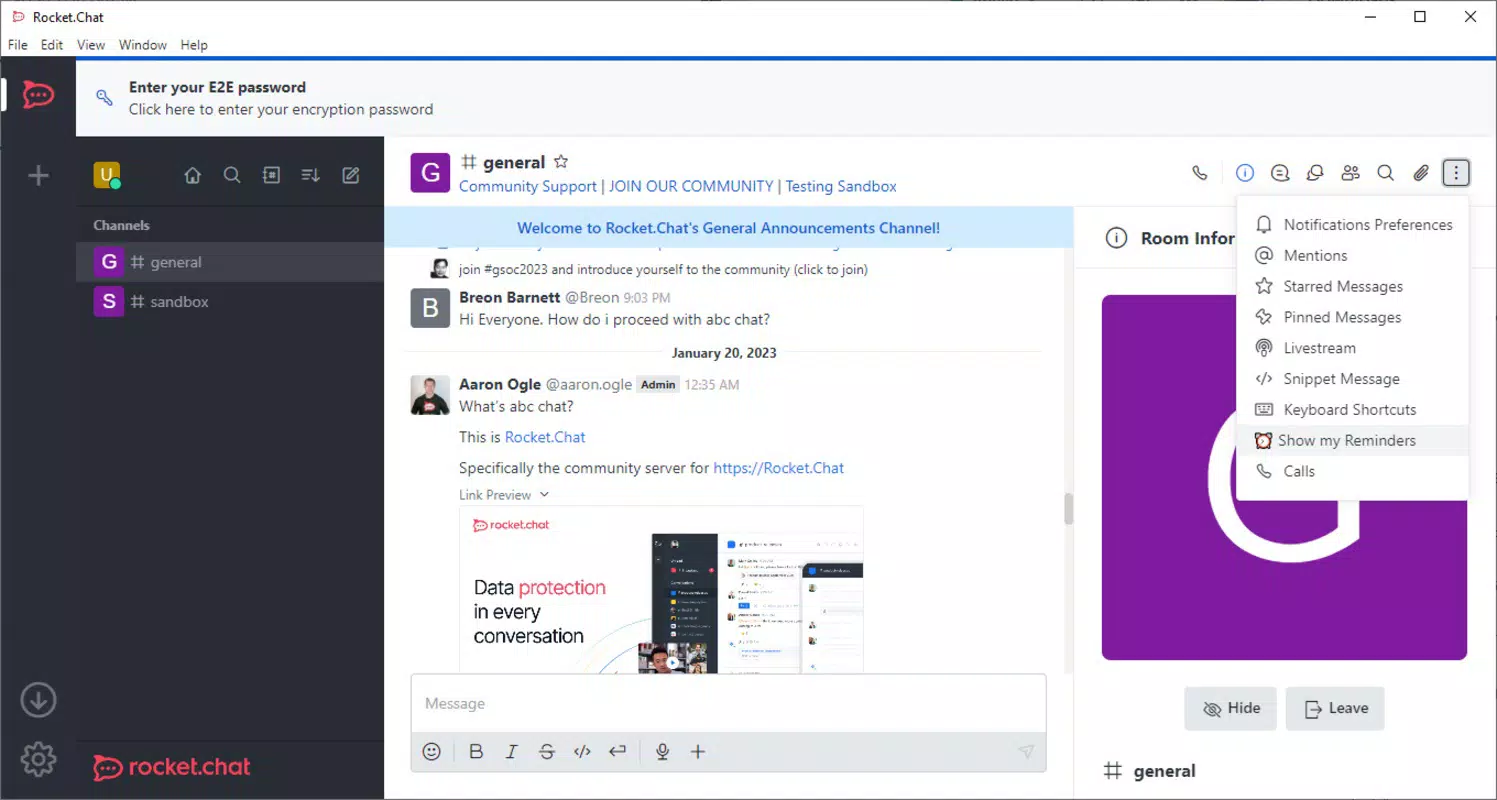
The user interface of Rocket.Chat is clean, intuitive, and designed with productivity in mind. The layout organizes channels, direct messages, and threads in a logical hierarchy, allowing users to navigate between conversations with minimal effort. Visual cues such as unread indicators, message timestamps, and user avatars improve readability and context awareness.
Navigation is straightforward, with a bottom navigation bar on Android providing quick access to key sections: Channels, Direct Messages, and Notifications. The app supports dark mode, which enhances usability in low-light environments and reduces eye strain during extended use.
Although the developer did not list formal performance metrics, the app demonstrates responsive behavior across various Android device categories. Users can expect smooth scrolling, quick message delivery, and consistent sync between mobile and desktop clients. Stability appears robust, with minimal reported crashes or freezes in recent updates.
Responsiveness is maintained even during high-traffic periods, suggesting efficient handling of real-time data streams. The app also performs well under low network conditions, with message queuing and retry mechanisms to ensure delivery when connectivity is restored.
Platform Compatibility & Technical Requirements
Rocket.Chat is available on the Android platform, ensuring compatibility with a wide range of devices running modern Android versions. The current version is 4.30.0, with a file size of 44 MB, making it lightweight and suitable for devices with limited storage.
Specific requirements were not listed, but the app is designed to function on standard Android smartphones and tablets. The developer did not specify minimum OS requirements, so users should ensure their device is running a recent Android release to maintain optimal performance and security.
While the app is free to download and use, it requires a valid Rocket.Chat server instance to function. This means users must have access to a server hosted by their organization or a third-party provider. The mobile client does not operate as a standalone service.
Pros and Cons
Pros
- Free to download and use with no in-app purchases
- Open source, promoting transparency and trust
- Supports secure, private communication with end-to-end encryption
- Offers robust integration with popular productivity tools
- Provides a consistent experience across Android, iOS, macOS, and Linux
Cons
- Requires a server instance to function; not a standalone app
- Setup may require technical knowledge for non-IT users
- Developer did not provide detailed system requirements
- Custom server hosting may incur additional costs
- Some advanced features may require configuration on the server side
FAQ
Is Rocket.Chat safe to use on my mobile device?
Yes, Rocket.Chat is designed with security in mind. As an open-source platform, it allows for independent audits and supports strong privacy standards. Messages are encrypted in transit, and server-side configurations can enable additional security measures.
Can I use Rocket.Chat without a server?
No, the app requires access to a Rocket.Chat server instance. It cannot function as a standalone service. Users must connect to a server hosted by their organization or a third-party provider.
How often is Rocket.Chat updated?
Updates are released regularly to improve performance, fix bugs, and introduce new features. The latest version is 4.30.0, and users are encouraged to keep the app updated for the best experience.
Is Rocket.Chat available on iOS?
Yes, Rocket.Chat is available on iOS as well as Android, macOS, and Linux. The mobile client ensures consistent functionality across all supported platforms.
Do I need to pay to use Rocket.Chat?
No, the app is completely free to download and use. However, hosting a server may involve costs depending on the provider and infrastructure used.
Final Thoughts
Rocket.Chat stands out as a powerful, secure, and flexible messaging solution for teams that value privacy, integration, and cross-platform access. Its open-source nature, combined with real-time collaboration features and seamless app integrations, makes it an ideal tool for modern work environments. While it requires a server setup, this also gives organizations full control over their data and communication policies.
Teams seeking a reliable, customizable, and secure alternative to mainstream messaging apps will find significant value in Rocket.Chat. Whether managing a small remote team or coordinating large-scale projects, the app delivers a professional-grade experience without compromising on usability or security.
Download Rocket.Chat now


